Category:

SEO

How can Multi-Location Franchise Businesses Deliver Local SEO at Scale?

Franchise SEO isn’t just local SEO, it’s a strategic balance of broad brand authority and deep local relevance. 

For multi-location businesses, the challenge is that you’re not serving one community but many, spread across different regions. Each branch needs to rank effectively in its own area without undermining the franchise’s overall identity and values.

This expert SEO approach drives footfall, enquiries and ROI across the franchise network. So how can franchises achieve local search success consistently and efficiently?

Build strong, consistent foundations

Start with the basics of search marketing. Every location should have its own properly optimised Google Business Profile with accurate name, address and phone number (NAP), relevant categories and opening hours. Consistency is critical: even small discrepancies, such as “St” in one place and “Street” in another, can confuse search engines and damage rankings. A regular audit of NAP citation data across directories is essential here.

Location-specific pages also play a vital role. Avoid cookie-cutter content across branches. Instead, create unique landing pages with localised keywords, maps, testimonials, FAQs and tailored calls to action. Organising these pages under a logical structure, such as /locations/london/, keeps domain authority centralised while showing search engines that each branch has its own local relevance.

Scale smartly with tools and automation

Manual SEO simply doesn’t scale when you’re managing dozens or even hundreds of sites. Platforms such as Uberall, SEMrush, BrightLocal UK can help with bulk uploads, citation synchronisation, review monitoring and reporting. They save time, reduce human error and help you maintain a consistent brand presence across all locations.

Reviews are another area where process matters. Encourage customers to leave feedback, and introduce a process to ensure that every branch monitors and responds promptly to feedback. 

Google values recency and sentiment, but just as importantly, prospective clients notice whether you take reviews seriously. Thoughtful responses build trust as well as rankings. Alongside Google reviews, platforms such as Trustpilot or Reviews.io can further strengthen credibility and give potential customers reassurance before they make contact.

A central reporting dashboard brings it all together, giving you visibility of impressions, clicks, calls, directions and conversions across the network. This allows you to spot high-performing sites and quickly step in to address underperforming ones.

Keep branding aligned and avoid common pitfalls

While each branch should have content tailored to its own audience, the overall branding needs to stay uniform. That means tone of voice, visuals, business name and descriptions should be consistent across every profile and page. Inconsistencies risk diluting recognition and may even confuse search engines into treating listings as unrelated entities.

It’s also important to stay within Google’s guidelines. Shortcuts such as using virtual offices for GBP addresses might seem tempting but can result in suspension, which is far more damaging in the long run.

Talk to us

At Chillibyte, we help franchise businesses deliver consistent, localised SEO strategies that scale. If you’d like to increase your local visibility and grow traffic to each of your locations, get in touch today.

By 0 Comments

How Can You Optimise Product Feeds for Google Merchant Centre in 2025?

Great products deserve great visibility, especially in Google Shopping. Here’s how to make sure your feeds stand out in Google Merchant Centre. 

If you sell online, you already know the power of Google Merchant Centre (GMC). But as the platform evolves, the margin for error shrinks. Optimising your product feeds today isn’t just about getting listed, it’s about standing out.

With automation, AI, and new feed requirements coming into play, now is the time to refine your approach. Whether you’re a seasoned ecommerce pro or just getting started, this guide walks you through best practices for keeping your products live, visible, and clicking.

1. Start with clean, structured product data

Think of your product feed like your digital shop window. If you have messy, incomplete or confusing data, shoppers (and Google) will walk right past.

So make sure each product entry includes:

  • Accurate titles (with brand, product type, and attributes)
  • Clear, keyword-rich descriptions
  • GTINs or MPNs for identification
  • High-quality images with no watermarks.

Take care not to stuff titles with keywords – Google’s smarter than that now. Think clarity + context.

2. Optimise titles and descriptions for clicks

Your title is the first thing shoppers see, so you have to make it count.

A strong title format might be: [Brand] + [Product Type] + [Key Attribute] + [Size/Colour]

Example: Nike Men’s Running Shoes – Flyknit, Black, Size 10

Make sure that your descriptions:

  • Include key product benefits
  • Match the tone of your website
  • Avoid fluff and manufacturer boilerplate.

As always, the goal is to convince and convert, without sounding like a robot.

3. Use the right product categories and attributes

Google’s product taxonomy is more detailed than ever, so get specific:

  • Don’t just say ‘Clothing’. Instead, say ‘Apparel > Men > Shirts > T-Shirts’
  • Use accurate custom labels for segmentation (eg ‘Clearance’ or ‘Best Seller’)
  • Fill out optional attributes like material, pattern, and age group. These all help with filtering.

Remember: if Google can’t figure out what your product is, it won’t show it.

4. Stay on top of feed disapprovals

Nothing tanks a Shopping campaign like hidden feed errors. Keep a close eye on:

  • Missing or incorrect GTINs
  • Mismatched pricing between your feed and site
  • Broken or slow-loading image URLs.

Set up Google Merchant Centre alerts and review diagnostics weekly. Proactive monitoring is the difference between running smoothly and scrambling to fix disapprovals.

5. Use Feed Rules to automate smarter

Google’s Feed Rules let you transform and enrich your data automatically. Look to:

  • Add your brand name to the start of every title
  • Convert size formats (eg ‘M’ to ‘Medium’)
  • Standardise colour names across your catalogue.

This is a great way to clean up bulk product feeds without manual editing. It’s an especially useful tactic for retailers with thousands of SKUs.

6. Sync with your website in real time

Where there’s a price or stock change, you’ll want your feed to reflect that immediately. Use the Content API for Shopping or a real-time feed management tool to:

  • Avoid disapprovals for price mismatches
  • Prevent advertising out-of-stock items
  • Save your team hours of manual work.

Platforms like Feedonomics, DataFeedWatch and Shopify’s built-in GMC apps make this easier than ever.

7. Layer in first-party and audience data

It’s all about relevance now. Syncing your product feed with first-party audience data (like past purchases or site behaviour) means you can:

  • Tailor promotions to returning users
  • Exclude low-converting segments
  • Optimise your bidding strategy based on customer lifetime value.

While this happens mostly in Google Ads, your feed needs to support personalised, dynamic campaigns with clean data.

8. Don’t forget local Inventory ads

If you have physical stores, activate Local Inventory Ads (LIA). Take care to:

  • Show nearby product availability to local shoppers
  • Drive in-store visits with real-time stock updates
  • Boost mobile CTR by serving ‘available nearby’ results.

LTA is one of the most underused yet powerful tools in Google Shopping, especially if you’re targeting footfall.

Final thought: Feed quality is the new competitive edge

As Google Merchant Centre becomes ever more sophisticated, retailers who treat their feed as a core marketing asset – rather than a backend admin task – will rise to the top.

Yes, optimising your product feed can get technical. But you’ll see the payoff in better visibility, higher click rates, and increased conversions.

Need help with GMC?

Looking to get more out of GMC? Chillibyte’s e-commerce SEO specialists can audit, clean, and optimise your setup to make sure your products shine. Why not get in touch today

By 0 Comments

How Do I Troubleshoot Disapprovals in Google Merchant Centre?

Your product feed is live – but nothing’s showing. What’s gone wrong? And what can you do about it? 

Google Merchant Centre (GMC) is a powerful ecommerce tool, but it’s also a stickler for the rules. If your products are disapproved, they won’t appear in Shopping results, Performance Max campaigns, or across the Display Network. And if enough disapprovals stack up, your entire account could even be suspended.

Happily, most disapprovals are fixable, once you know what you’re looking for. Here’s a guide to the most common pitfalls, how to self-diagnose them, and when to bring in expert help…

Start in the Diagnostics tab

Start by looking at GMC’s Diagnostics tab, which is basically your disapproval dashboard. 

It breaks issues down into three categories:

  • Item issues – affecting specific products
  • Feed issues – problems with the file you uploaded
  • Account issues – bigger-picture problems that may affect everything.

Start with the most critical errors (those in red). Google will even tell you what to fix, although the explanations and instructions can sometimes be vague.

Common product disapproval reasons (and how to fix them)

Price mismatch

Your product feed says one thing, your website says another.

Fix: Ensure your landing page and feed use the same currency, format and price, especially if you’re using sale pricing or multi-currency tools.

Image issues

Google dislikes:

  • Watermarks or text overlays
  • Placeholder images
  • Low-res or incorrect aspect ratios.

Fix: Upload clean, high-quality images. No logos, no ‘SALE!’ banners.

Missing or incorrect GTIN/MPN

Google wants unique product identifiers, especially for branded goods, so getting these wrong will cause problems. 

Fix: Provide the correct GTIN or MPN (check with your supplier or packaging if needed). Don’t make them up – invalid codes can cause more trouble.

Policy violations

This would include things like promoting unapproved pharmaceuticals, weapons, or adult content.

Fix: Remove the offending products, and make sure your site complies with Google Shopping policies.

Feed-level fixes to watch out for

If the whole feed is broken, Google may reject all items in one go. Here are two possible causes.

Missing required fields

Every product needs essentials like title, price, availability, condition and link.

Fix: Check your feed export setup. Platforms like Shopify, WooCommerce, or BigCommerce sometimes need plugin tweaks or custom feed rules.

Encoding issues or formatting errors

Bad characters, unescaped ampersands (&), or wrong delimiters can throw Google out.

Fix: Validate your feed using Google’s Feed Rules or external validators.

Watch for site-level problems

Even if your feed is perfect, your website itself might be the cause of disapprovals. All of these can cause problems: 

  • Unsecure checkout (HTTP vs HTTPS)
  • Broken product pages (404s)
  • Missing returns or refund policy pages
  • No contact information.

Google needs to trust your store, so make sure your ecommerce site is as polished and complete as your product listings.

Use Feed Rules to patch data on the fly

Sometimes you don’t need to rebuild your whole feed – you can just tweak what’s already there. Use Feed Rules in GMC to:

  • Clean up titles (eg remove ‘On Sale Now!’)
  • Auto-fill missing values
  • Combine fields (eg brand + product name).

It’s a handy way to quickly fix common issues without editing the raw feed file.

Get support or bring in the experts

Still stuck? Google support can help with some issues, but wait times and canned responses are common. 

At Chillibyte, on the other hand, we can offer timely and responsive support, for example by: 

  • Auditing your entire GMC setup
  • Resolving chronic disapproval causes
  • Setting up monitoring systems to prevent future issues
  • Managing merchant feeds alongside Shopping and Performance Max campaigns.

Final thought: Disapprovals are a symptom, not a punishment

A disapproved product isn’t the end of the world. It’s simply a warning sign that something in your data, site, or setup needs attention.

With the right approach (and a bit of patience) most disapprovals can be reversed, quickly and safely.

Need help with GMC?

Chillibyte’s ecommerce team has helped dozens of brands turn red flags to green lights. If you need to troubleshoot some GMC issues, why not get in touch today.

By 0 Comments

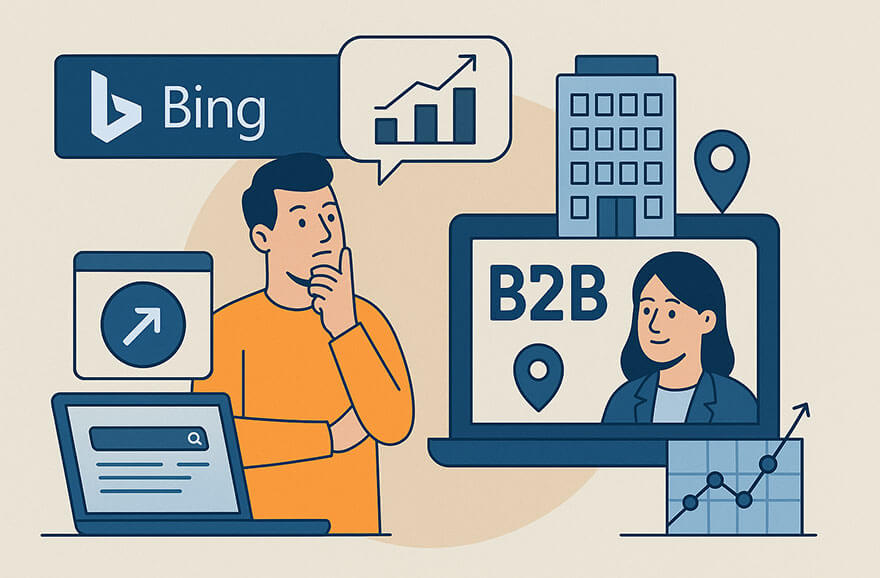
Do I Need to Consider Bing for My SEO Strategy (Especially in B2B)?

Everyone optimises for Google. But should you be giving Bing more love too – especially if you’re in B2B?


If Bing isn’t currently part of your SEO strategy, you’re not alone. Google still dominates the search market, but for B2B brands in particular, ignoring Bing in your SEO strategy could mean leaving quality traffic and leads on the table.

Optimising for Bing doesn’t have to be a massive overhaul. Reviewing your visibility, submitting your site to Bing Webmaster Tools, and tweaking a few on-page elements could yield surprisingly strong results.

Let’s unpack why Bing deserves a second look, and how B2B brands in particular can benefit from showing up where their competitors might not be…

1. Bing has a bigger slice than you think

While Google grabs around 90%+ of global search traffic, Bing still accounts for roughly 3-7%, depending on the region – and even more in enterprise-heavy verticals.

This is because, among other reasons, Bing enjoys a number of prominent placements: 

  • Default status on Windows devices using Microsoft Edge
  • Built into Microsoft 365 environments
  • Prominent on workplace desktops where corporate IT departments don’t allow Chrome or browser switching.

That means that if your target audience includes office-based professionals, decision-makers or IT buyers, they could be searching on Bing without even thinking about it.

2. Bing users tend to be older, wealthier, more B2B-focused

According to Microsoft data, Bing’s audience:

  • Skews 35+
  • Has a higher household income on average
  • Is often in professional or managerial roles.

These are the sort of people who make buying decisions – not just Google searchers looking for ‘how to fix my printer’.

So if your product or service is aimed at businesses, software buyers or professional services, Bing could be delivering untapped, qualified traffic.

3. Bing SEO is less competitive

Because most brands focus their efforts on Google, Bing’s search results can be a lot less saturated. That means:

  • Lower keyword competition
  • Easier rankings for long-tail queries
  • Higher visibility for well-structured content.

It all means that you might get better ROI on your SEO efforts in Bing with far less effort.

4. Your Google optimisations still work on Bing (mostly)

The good news for SEO teams that have been focusing on Google up to now is that Bing isn’t a totally different beast. Many of the SEO best practices you already know still apply:

  • Clean URL structures
  • Keyword-rich content
  • Fast-loading, mobile-friendly pages.

But there are some quirks. Bing gives more weight to:

  • Exact-match domain names
  • Older domains with established backlinks
  • Schema markup (even more so than Google)
  • Social signals and content engagement.

5. Don’t forget Bing Webmaster Tools

Google Search Console’s lesser-known cousin, Bing Webmaster Tools, gives you:

  • Crawl and index data specific to Bing
  • Backlink analysis
  • SEO reports and diagnostics.

Note too, that you can import your Google Search Console setup straight into Bing’s platform to get started quickly.

6. Consider Paid and Organic Together

Microsoft Advertising (formerly Bing Ads) lets you run PPC campaigns across Bing, Yahoo, and AOL search properties. For B2B advertisers, it’s a lower-CPC, high-intent channel that’s well worth testing.

Aligning your organic Bing SEO efforts with a small paid campaign can give you visibility on both fronts, and will also provide useful conversion data to guide future optimisation.Want to expand your visibility? At Chillibyte, we help brands find the blind spots in their digital strategy. If you’re interested in making Bing work harder for you, get in touch today

By 0 Comments

Are You Making Any Of These Classic DIY SEO Mistakes?

And do you know what they could cost? Do-it-yourself SEO might seem like a money-saver – until it starts costing you leads, rankings and revenue…

Many businesses try to tackle SEO in-house, especially early on. It’s understandable, of course – there are countless free guides, plug-ins and quick-win checklists floating around online. 

But while DIY SEO can be a good start, it can only take you so far. And it can unintentionally cause damage and incur costs that could take you months to undo.

Here are some of the most common mistakes we see, what they might be costing your business, and how you might go about fixing them, perhaps with a little expert help… 

1. Keyword stuffing (still a thing, sadly)

Repeating the same keyword 10 times in one paragraph doesn’t make your content rank. It just makes it unreadable.

Google’s algorithm is smarter than ever. It understands synonyms, context and user intent. So writing naturally, and offering real answers to real questions, is far more effective.

The cost: Higher bounce rates, lower dwell time, and a potential penalty in rankings.

The solution: Use natural language and focus on user intent. DIYers can use tools like AnswerThePublic or AlsoAsked to find relevant phrasing. Agencies bring deeper keyword mapping and editorial guidance to ensure content both ranks and resonates.

2. Neglecting technical SEO

Many DIY SEO efforts focus on content and ignore the backend. But things like slow site speeds, broken links, missing alt tags and duplicate title tags can all hurt your visibility.

The cost: Crawlers can’t properly index your site, which means missed opportunities, no matter how great your content.

The solution: Run regular technical audits using tools like Screaming Frog or Sitebulb. DIY fixes can handle small issues, while agencies can uncover and solve deeper infrastructure problems and manage ongoing technical health.

3. Using the wrong tools, or no tools at all

You can’t improve what you’re not measuring. Free tools like Google Search Console and GA4 are a start, but they only tell part of the story. And using no tools is like driving with your eyes closed.

The cost: Missed insights, ineffective strategy, an inability to track ROI.

The solution: DIYers should start with Search Console and free GA4 dashboards. Agencies layer in tools like SEMrush, Ahrefs, and Looker Studio to track performance across multiple channels with richer data.

4. Going after the wrong keywords

Targeting high-volume, generic terms might look good on paper. But the truth is, it’s a brutal game dominated by major players.

Effective SEO means targeting realistic, long-tail keywords with clear buyer intent. That requires research, data analysis and a strategic approach.

The cost: Tons of effort with little to no return, and poor-fit traffic that doesn’t convert.

The solution: Use keyword tools like Ubersuggest or Google Keyword Planner to find long-tail terms. Agencies bring competitive analysis and search intent modelling to prioritise terms that drive ROI, not just traffic.

5. Skipping meta data and schema markup

Meta titles, descriptions, and structured data may seem like small details, but they play a big role in how your content is indexed and displayed in search.

DIYers often skip them entirely, or else copy-paste the same meta tags across multiple pages.

The cost: Missed click-through opportunities and poor visibility in rich results.

The solution: Use tools like Yoast (for WordPress) to optimise meta data. Agencies take it further with custom schema strategies that improve clickability and help Google understand your content.

6. No mobile optimisation

Over half of all searches happen on mobile. If your site isn’t responsive or has frustrating UX issues on phones and tablets, users won’t stick around.

The cost: Lost conversions, higher bounce rates, brand damage, and a hit to your mobile rankings.

The solution: DIYers can test using Google’s Mobile-Friendly Test and optimise with responsive design templates. Agencies can implement mobile-first design audits, speed enhancements and UX fixes that go deeper.

7. Publishing content without a strategy

Blogs without goals are just digital noise. Great SEO content:

  • Answers specific queries
  • Targets defined keywords
  • Fits into a wider content plan.

Publishing for the sake of it (or just when you remember to or can get round to it) rarely drives results.

The cost: Wasted time, low engagement, no long-term SEO momentum.

The solution: Plan content calendars around keyword clusters using free templates or tools. Agencies align content with user journeys and SEO goals, ensuring each piece fits into a performance-driven roadmap.

8. Not staying up to date with algorithm changes

Google rolls out updates all the time, some subtle, some seismic. If you’re not monitoring changes or adjusting your tactics on an ongoing basis, your rankings can vanish overnight.

The cost: Sudden traffic drops and a scramble to recover with outdated tactics.

The solution: Subscribe to industry blogs like Search Engine Journal and Moz to stay informed. Agencies actively monitor trends, test tactics and adjust strategies before rankings take a hit.

We can help you avoid the mistakes

Learning the ropes of SEO is invaluable for any business. But at some point, if you want to compete and grow, it pays to bring in an expert search engine optimisation agency that live and breathes search strategy. At Chillibyte, we help brands identify what’s working, what’s hurting, and what’s missing. Whether you’ve dabbled in DIY SEO or are ready to level up, we’ll help you build a strategy that drives results – not regrets. Why not get in touch today.

By 0 Comments

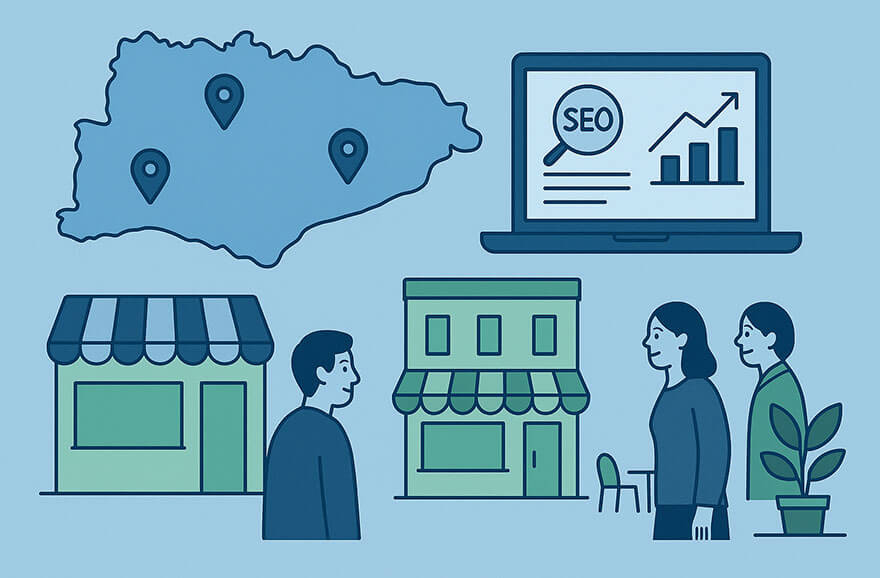
How Can Working with a Sussex-Based SEO Agency Help My Local Visibility?

When you work with a team that understands your region, your audience, and your goals, everything just clicks. Sometimes the best SEO strategy starts with a cup of coffee…

Choosing an SEO agency isn’t just about technical skill – it’s about shared understanding. And when your business is based in Sussex (or anywhere in the South East), there are real, tangible benefits to working with a local partner who knows the regional landscape as well as they know the state-of-the-art search terrain. 

Here are six good reasons why a geographically proximate SEO agency like Chillibyte can help you achieve better local visibility – and better business results.

1. Local knowledge = smarter local SEO

A Sussex-based agency knows:

  • The towns and villages your audience actually searches for
  • How people refer to areas in informal language (hint: it’s not always what Google Maps says)
  • The local competitors you’re up against, and where they’re winning.

This context is invaluable when it comes to building accurate location pages, optimising your Google Business Profile, and targeting the right regional keywords.

2. Understanding the local customer mindset

Marketing isn’t just about traffic, it’s about relevance. And nothing builds relevance like understanding how people think, shop, and talk in your area.

A local agency can tailor your content to align with those habits and expectations, whether you’re targeting:

  • Tourists looking for boutique hotels in Brighton
  • Homeowners searching for trades in Eastbourne
  • B2B clients across Crawley, Worthing or Chichester.

3. On-the-ground collaboration

Need to workshop your brand positioning or refresh your keyword strategy? Sometimes face-to-face is the most effective route. With a Sussex-based team, you can easily:

  • Schedule in-person strategy sessions
  • Invite your SEO partner to visit your premises for a better understanding of your business, culture, products and services
  • Build a deeper relationship based on trust, chemistry and mutual understanding.

Those sorts of things are that bit harder with a remote agency based 200 miles away.

4. Regional SEO isn’t just about local keywords

Many businesses think ‘local SEO’ simply means dropping place names into content. In reality, it involves:

  • Accurate and consistent NAP (Name, Address, Phone) citations
  • Getting listed in local directories and publications
  • Earning links from Sussex-based businesses, blogs, and news sites.

A local agency already has all the relationships, contacts, and regional knowhow that can speed up this process.

5. Faster response times, more agile support

Ever needed a quick update to your site or had an urgent SEO issue crop up before a big local campaign? Working with a geographically close team means:

  • You’re in the same time zone – and timeframe
  • You’re more likely to get a fast response
  • You can build a rhythm that works for your business hours.

6. A stake in your community 

Local agencies care about local businesses. At Chillibyte, our clients aren’t just names on a spreadsheet; they’re also our neighbours, collaborators and cheerleaders.

We succeed when Sussex businesses grow, and that means we’re invested in your success in a way that’s personal, not just transactional.

Are you a local business?

If your business is based in Sussex or the surrounding area, we’d love to meet you. Why not get in touch today – coffee’s on us!

By 0 Comments

When it Comes to Optimising for Bing Search, What Works and What’s Different from Google?

Bing isn’t just a Google clone, and understanding its quirks can give your SEO a valuable edge. Here’s what you need to know.


If you’re serious about improving visibility on Bing, it’s worth taking the time to tailor your approach. 

While many best practices carry over from Google, Bing has its own algorithmic preferences, tools, and ranking signals.

In this post we look at what’s still relevant, what’s changed, and how to optimise effectively for Bing…

1. Content is (still) king, especially structured content

Bing continues to prioritise high-quality, original content. But unlike Google, it places even more emphasis on clarity, structure, and topical relevance.

What works:

  • Clear H1 and H2 usage
  • Keyword consistency (including partial and exact-match terms)
  • Well-structured paragraphs and bullet points.

Bing’s algorithm also rewards sites that clearly answer search intent, so content that mirrors FAQs or direct how-to formats will typically perform well.

2. Schema markup really matters

Bing leans heavily on structured data to understand and rank content. So make sure your site includes:

  • Product schema for ecommerce
  • Local business schema (for maps and directories)
  • FAQ and How-To schema where relevant.

These tags help Bing better interpret your content and improve rich result opportunities, especially when it comes to search panels and AI-generated summaries.

3. Exact match domains and keywords still carry weight

While Google has moved away from giving preference to keyword-heavy domains, Bing still considers them useful indicators of relevance.

If your business has an exact-match or partial-match domain, that can help with rankings, especially for niche products or local services.

Bing is also more forgiving with keyword repetition in headers and metadata. Just don’t overdo it – good UX still wins in the end.

4. Page speed matters, but not in the same way

Google’s Core Web Vitals have put serious pressure on load times and user experience. Bing cares about speed too, but doesn’t (yet) use a similar scoring system.

That said, fast-loading pages still:

  • Get crawled more efficiently
  • Offer better user experience
  • Support mobile users on Edge browser.

So speed is still a smart investment, even if it’s not measured in quite the same way.

5. Bing loves social signals

Social media engagement has a bigger role in Bing’s ranking algorithm compared to Google. That means:

  • Shares, likes, and brand mentions on platforms like LinkedIn, X (Twitter), and Facebook can influence rankings
  • Active, visible social profiles help establish brand authority
  • Content with strong engagement often gets indexed faster.

If social has been a bit of a nice-to-have in your SEO plans up to now, Bing might give you a reason to prioritise it.

6. Backlinks still matter, with a focus on quality over quantity

Like Google, Bing uses backlinks to determine authority and relevance. But it often:

  • Gives more weight to older, well-established domains
  • Values contextually relevant inbound links
  • Ignores low-quality link farms and manipulative tactics.

Local citations and editorial backlinks from industry publications are especially valuable on Bing.

7. Optimise for desktop as well as mobile

While mobile-first is the mantra for Google, Bing still sees significant desktop usage, particularly among corporate users and older demographics. So make sure you:

  • Make sure your desktop experience is just as polished as your mobile layout
  • Test navigation, font sizing and interactive elements across larger screens
  • Consider that some business searches are still happening from office setups.

Final thought: Small tweaks, big Bing wins

Optimising for Bing may not demand a complete SEO overhaul, but there are rewards for brands who respect its differences.

By leaning into structured content, schema markup and strategic keyword usage, you can unlock extra visibility where your competitors may not even be looking.

Want to get to grips with Bing?

At Chillibyte, we build multi-channel strategies that go beyond Google, helping you reach audiences wherever they search.  Ready to review your search strategy? Get in touch today

By 0 Comments

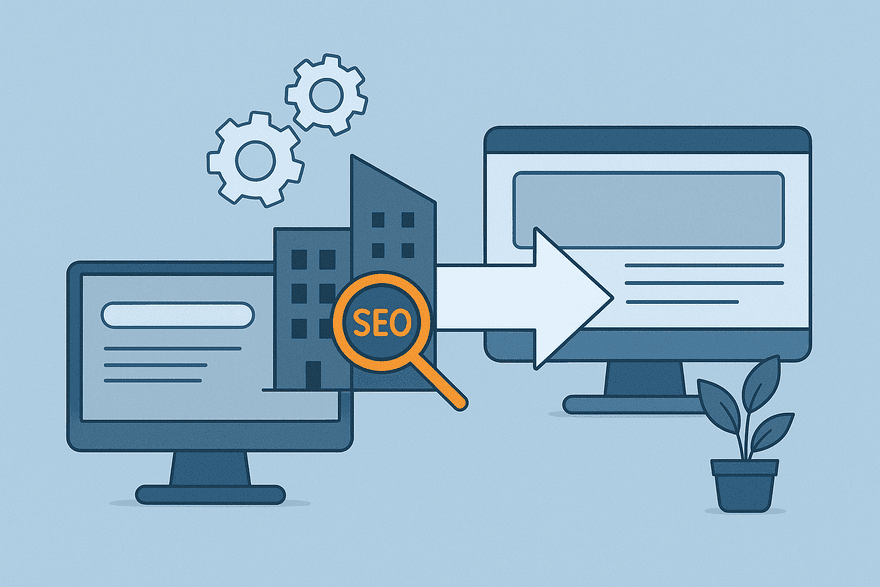
How Can SEO be Used to Preserve Organic Visibility During Complex Brand Mergers and Site Consolidations?

Done right, a strategic SEO migration not only protects your hard-earned rankings – it sets the stage for still stronger organic growth under your new unified brand. Here’s how…

Business mergers and acquisitions often bring big wins in market share, talent, and capability. But behind the scenes, they can also create major SEO headaches. 

Site consolidations, URL restructuring, duplicate content issues, and confused analytics are just a few of the potential landmines. 

Handled right, though, SEO can be the quiet hero in preserving organic visibility and helping your new brand hit the ground running. Here’s how…

1. Start with a full bilateral SEO audit 

Before you even begin stitching two brands together, you need to know what you’re working with.

  • Crawl both websites using tools like Screaming Frog or Sitebulb
  • Map out all indexed URLs, backlinks, traffic-driving pages and keyword rankings
  • Identify duplicate content, thin pages, and under-performing assets

This audit helps you benchmark visibility now – so you can see exactly what changes impact performance later.

2. Create a consolidated URL strategy

This is the backbone of a successful site migration. Choose your primary domain as early on in the process as possible – something that’s especially important to do if one brand is to be retired. Then you can: 

  • Redirect old URLs to the most relevant new ones using 301 redirects
  • Avoid ‘soft 404s’ by mapping all redirects to genuinely useful pages
  • Preserve link equity wherever possible

It’s tedious, but this step is non-negotiable if you want to keep your search visibility intact.

3. Harmonise your content – don’t just copy and paste

Two companies means two sets of blogs, product pages, FAQs and more. Often this content will overlap. Instead of duplicating or deleting:

  • Use a content specialist to audit and consolidate similar pages into stronger, refreshed assets
  • Use canonical tags where necessary
  • Bring old high-performing content under the new brand umbrella with minimal re-optimisation

Aim for clarity, consistency and quality – all the things that Google rewards.

4. Rebuild the information architecture

Your merged website needs a new sitemap and navigation that makes sense for users and search engines. This will need to include features such as:

  • Clean, intuitive menus
  • Updated breadcrumbs
  • Logical internal linking patterns to keep crawl depth low

The aim shouldn’t just be to bolt Brand B’s pages onto Brand A’s nav, but to build something that’s greater than the sum of its parts. 

5. Communicate clearly with Google

This isn’t just about your site visitors, it’s also about the bots.

  • Update your XML sitemap and resubmit via Google Search Console
  • Use the Change of Address tool if moving domains
  • Monitor for crawl errors, index drops, and ranking shifts closely for the first 3-6 months

After such a radical overhaul, you can expect a dip. But with the right signals in place, recovery should be steady.

6. Keep the analytics clean

When traffic patterns shift (as they inevitably will), you need data you can trust.

  • Set up new tracking views in GA4
  • Annotate major changes
  • Track old and new URL performance separately before folding them into a unified dashboard

This work is crucial for proving ROI to stakeholders.

7. Plan for ongoing SEO support

From an SEO perspective, a merger isn’t a one-and-done event. Make sure that you:

  • Monitor traffic and keyword volatility monthly
  • Continue optimising consolidated content based on fresh search intent
  • Stay flexible, because Google’s understanding of your new structure will evolve

Let’s talk about your migration strategy

At Chillibyte, we specialise in guiding businesses through complex migrations and consolidations, ensuring your search visibility stays strong every step of the way. Whether you’re planning a move or already in the thick of it, we’re here to help you make it seamless. Ready to chat? Get in touch today.

By 0 Comments

How Can You Unify SEO Strategies and Bridge Different Cultures Post-Acquisition?

When two businesses come together, your SEO strategy needs to evolve to reflect the values and goals of the new, combined entity. Here’s how to build a post-acquisition SEO strategy that gets results.

When one business acquires another, there’s often a sharp focus on financials, staffing, and operations. But unifying SEO strategies after a merger is just as critical – and far more complex than many expect.

It’s not just a matter of combining domains or redirecting pages. You’re often trying to harmonise two very different approaches to content, tech, tooling and culture. Here’s how to do it without losing visibility – or your sanity… 

1. Recognise that SEO Is cultural, not just technical

Many businesses treat SEO as a checklist or a plug-in. But in reality, SEO reflects how a company thinks about content, users and digital growth.

Company A might have had a dedicated in-house SEO team using enterprise tools. Company B, meanwhile, may have mainly outsourced to freelancers and focused heavily on PPC.

These differences matter. Before jumping into tactics, it’s vital to invest time understanding each team’s habits, history, and mindset around organic search.

2. Audit both strategies, then map the gaps

Conduct a deep dive into each brand’s SEO strategy:

  • What tools and platforms are in use? (SEMrush, Ahrefs, GA4 etc)
  • What are the top-performing pages and content types?
  • How are keywords researched and selected?
  • How are results reported to stakeholders?

From there, you can identify mismatches:

  • Is one site more technically sound?
  • Is one content strategy more audience-focused?
  • Are the backlink profiles drastically different?

Now you have a foundation of knowledge to work with. After all, you can’t build a unified strategy until you know what you’re trying to merge.

3. Create a shared framework, with room to flex

Once you’ve mapped the differences, work on a joint SEO roadmap that:

  • Aligns on keyword targeting and buyer personas
  • Establishes a single content calendar and publishing cadence
  • Sets shared KPIs across both legacy brands.

It’s key, however, not to simply impose one brand’s strategy wholesale onto the other. A successful unified strategy usually blends the best of both, and leaves space for teams to evolve together.

4. Unify the tech stack (without breaking everything)

Merging SEO tools and data systems can be a minefield. But centralising your stack is essential for reporting, consistency, and efficiency. Start by standardising:

  • Keyword tracking tools
  • Reporting dashboards (GA4, Data Studio, Looker etc)
  • On-page and technical audit platforms.

From there, you can migrate carefully and in phases – especially with large or legacy setups. Remember also to retain historic data where possible so you can track and demonstrate progress post-merger.

5. Get buy-in from leadership and cross-functional teams

SEO doesn’t exist in a vacuum. Your strategy will only stick if it’s supported by:

  • Web dev teams (for technical implementation)
  • Marketing (for brand alignment and content creation)
  • Product or sales teams (to reflect customer needs).

So run workshops, share data and seek buy-in. The more your internal teams understand the value of unified SEO, the easier your execution will be.

6. Pay careful attention to the metrics

When you start implementing changes, monitor your KPIs obsessively. Look at things like:

  • Organic sessions and rankings across both domains
  • Click-through rates and bounce rates on migrated pages
  • Indexed pages, crawl errors, and site speed issues.

This isn’t just good SEO hygiene. It helps you prove early wins and/or quickly spot problems before they snowball.

7. Plan for a cultural merging, not just a technical one

Harmonising cultures is one of the biggest challenges of any change management initiative, and SEO is no exception. 

Maybe one brand’s SEO team was agile and experimental, for example, while the other relied on quarterly campaigns. Perhaps one brand focused on user intent, while the other chased keywords.

Part of unifying SEO post-acquisition is bridging these ways of working. That may mean new workflows, training sessions or team restructuring. While change is never easy, with the right leadership it can become an opportunity to build something stronger than either side had before.

Your SEO strategy should reflect your new brand

Unifying your SEO efforts isn’t just about efficiency. It’s also a critical part of creating a coherent, high-performing brand post-acquisition.

SEO sits at the intersection of user experience, technology, and brand voice. So when two companies come together, your strategy needs to do more than survive the merger. It should evolve to reflect the values and goals of your new, combined business.

Need a post-acquisition SEO strategy that actually works?

At Chillibyte, we specialise in helping brands navigate the complexities of SEO during mergers and acquisitions. 

Whether you’re in the early stages of acquisition or already deep into integration, we’ll help you build a unified SEO strategy that protects your visibility and drives growth.

Let’s talk about how we can support your next move. 

By 0 Comments

After a Merger or Acquisition, What’s the Best Way to Harmonise Stakeholders Around an SEO Strategy?

If your internal teams aren’t aligned around a shared vision and motivated to execute, you’re going to struggle post-merger. Here’s how to get it right…

When two businesses become one, aligning stakeholders around a single SEO strategy can be harder than the technical migration itself. The reason for this, of course, is that SEO success depends on cross-functional buy-in, all the way from the boardroom to the dev team.

If internal teams aren’t aligned on what the SEO strategy is, why it matters, and how it’s being implemented, your new unified brand risks losing visibility, momentum and market share.

So how do you get everyone, from the C-suite to content creators, to pull in the same direction? Here are the key steps to consider…

1. Start with a unified vision

The first step is to define a clear SEO north star. Consider:

  • What does success look like?
  • What are the non-negotiables in the new strategy?
  • How does SEO align with broader business goals (brand visibility, lead generation, ecommerce growth, etc)?

Get executive leadership involved in this process. SEO shouldn’t be viewed as ‘just a marketing thing’ but rather as a core part of brand equity in a digital-first world.

2. Run an SEO kick-off workshop

Once your vision is defined, bring key stakeholders together to communicate it clearly. A merger is the perfect time to reboot how teams think about SEO. Invite:

  • Marketing leads
  • Product owners
  • Dev and UX teams
  • Customer service
  • Sales leadership

Use the session to:

  • Explain how SEO impacts their KPIs
  • Share benchmarks and migration goals
  • Bust common SEO myths or outdated practices
  • Identify key players for implementation

3. Assign clear ownership and roles

One of the biggest post-merger mistakes is assuming ‘someone else’ is handling SEO. It’s a good idea to use a framework like RACI matrix (Responsible, Accountable, Consulted, Informed) to:

  • Define who manages redirects and tech SEO
  • Clarify who oversees keyword strategy and content production
  • Align reporting responsibilities

When everyone knows their lane, and understands how roles and responsibilities are meant to fit together, execution becomes smoother.

4. Create shared dashboards and reporting

Data is your friend, especially when you need to bring sceptical or siloed teams onboard. So build shared SEO dashboards that:

  • Track organic performance for both legacy brands and the unified site
  • Visualise keyword gains/losses
  • Highlight content performance
  • Include business-friendly KPIs like leads or revenue

You can use visual tools like Looker Studio (formerly Data Studio) to make your reports easy to digest at a glance.

5. Communicate early, often, and in plain English

It’s easy to make SEO sound technical and complex, and that can quickly create problems when you need broad alignment. So your internal comms plan should:

  • Regularly update teams on SEO milestones (site migration dates, new keyword focuses etc)
  • Celebrate quick wins to build momentum
  • Explain changes in accessible, jargon-free language

People can’t support things they don’t really understand; plain communication builds trust.

6. Integrate SEO into everyone’s workflow

Search engine optimisation shouldn’t be something teams do after a campaign launches. It should be baked into the process.

So work with each department to:

  • Add SEO checks to product release cycles
  • Train content teams on keyword intent and on-page best practices
  • Ensure developers are aware of crawlability, load speed, and Core Web Vitals.

Make SEO part of the way your business operates – not just a box to tick.

7. Be realistic about change management

Remember: you’re not just changing tactics here. You’re shifting habits and mindsets, so some resistance and friction within teams is only to be expected. And even those who are excited by the new developments may need upskilling.

Support adoption by:

  • Offering training or workshops
  • Pairing SEO experts with different departments
  • Showing how SEO contributes to shared goals, not just traffic numbers

SEO support at any stage of a merger

Chillibyte has worked with a diverse range of clients before, during, and after mergers, helping them navigate the unique digital challenges that come with change. Our comprehensive approach to SEO ensures that businesses maintain, and improve, their online visibility throughout the entire transition process. From preserving search equity and minimising traffic loss to aligning new brand structures and strategies, we provide tailored solutions that support long-term growth. With Chillibyte, businesses emerge from mergers not only intact online, but stronger, more visible, and better positioned for success in competitive digital landscapes.

Contact us today and discover how we can support you during a merger, at any stage.

By 0 Comments